
Quick Start
Sign in, connect a node, and launch your first development worker in minutes.
An organization branches into a Project (the dev environment template) and a Node (your compute) — both are required before a Worker can be spawned:
Go to your Spunto dashboard and sign in with Google. You'll land on the dashboard once authenticated.
Click Create organization and give it a name. Organizations are the top-level container for your projects, workers, deployments, and team members.
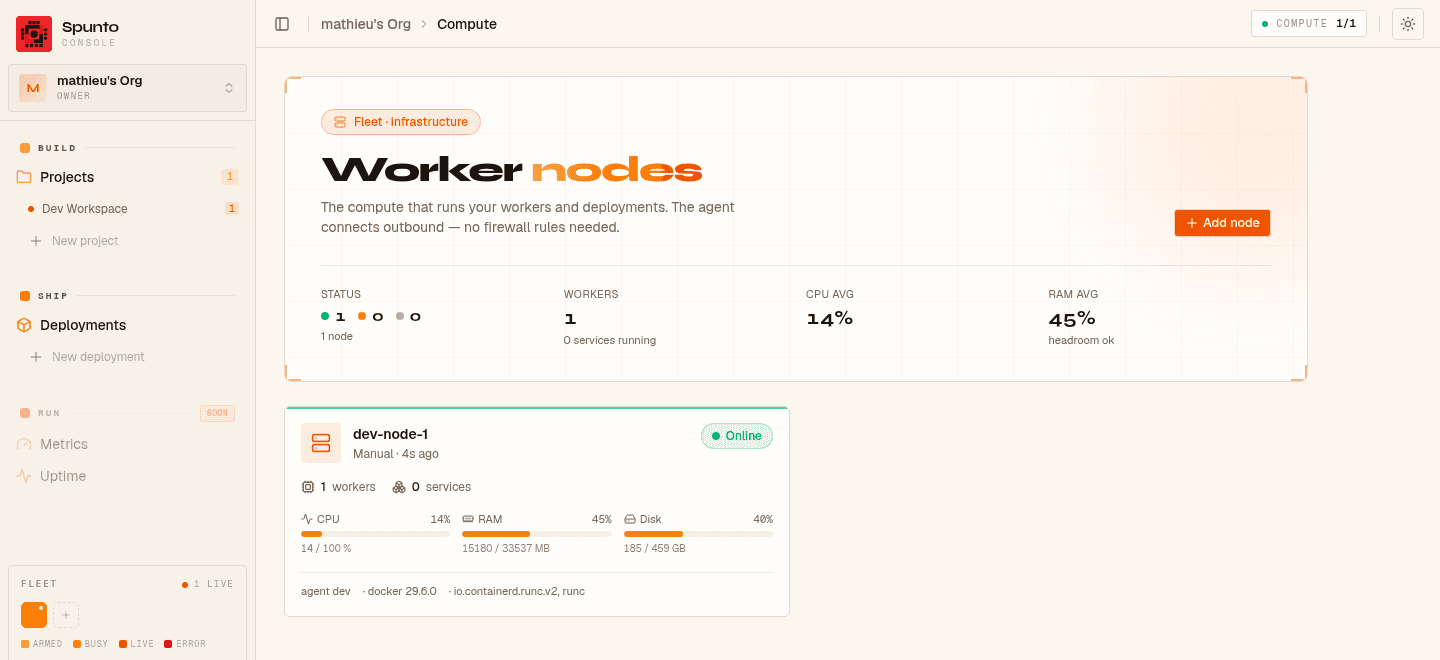
Workers and deployments run on your own compute — a server you connect to the organization (BYOC, Bring Your Own Compute). There's no shared fallback compute, so you'll need at least one node before you can spawn anything.
Create a node in the dashboard
Go to Nodes in the sidebar → New node, give it a name, and copy the generated token — it's only shown once.
Bring the server online
Run a single Docker command on the server (or let Spunto provision a Google Cloud VM for you automatically). See Adding a Node for the exact steps.
Verify it's online
The node's status switches to online in the dashboard within a few seconds.
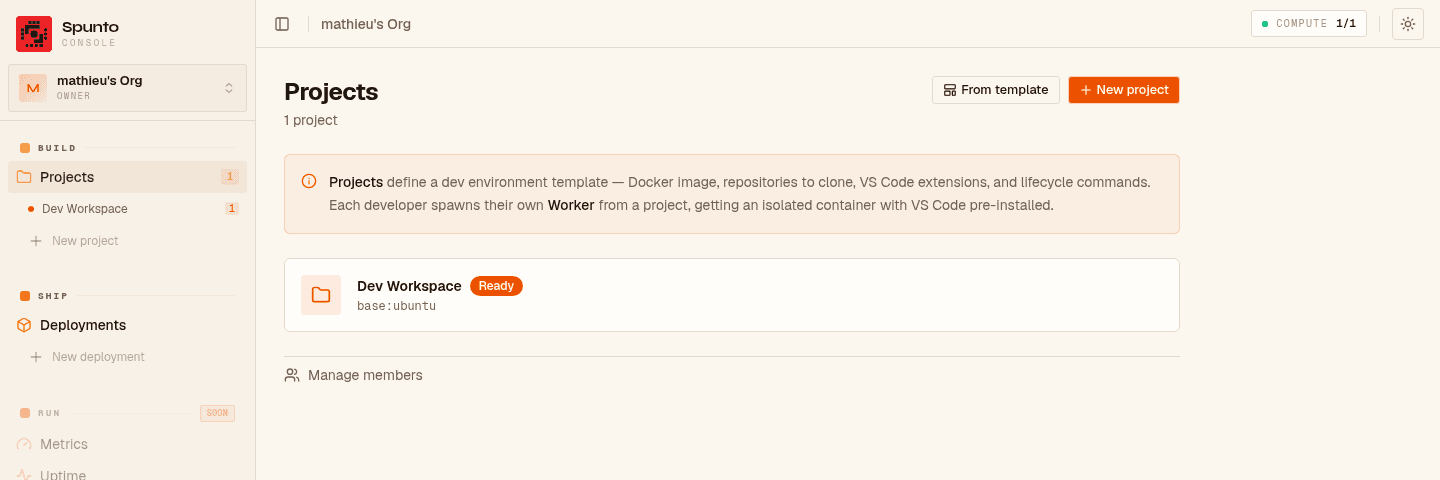
A project defines the development environment:
- Go to Projects → New project
- Choose a base image (e.g.
ubuntu:22.04or a custom devcontainer image) - Add devcontainer features, VS Code extensions, and lifecycle commands
- Optionally link GitHub repositories to clone at spawn
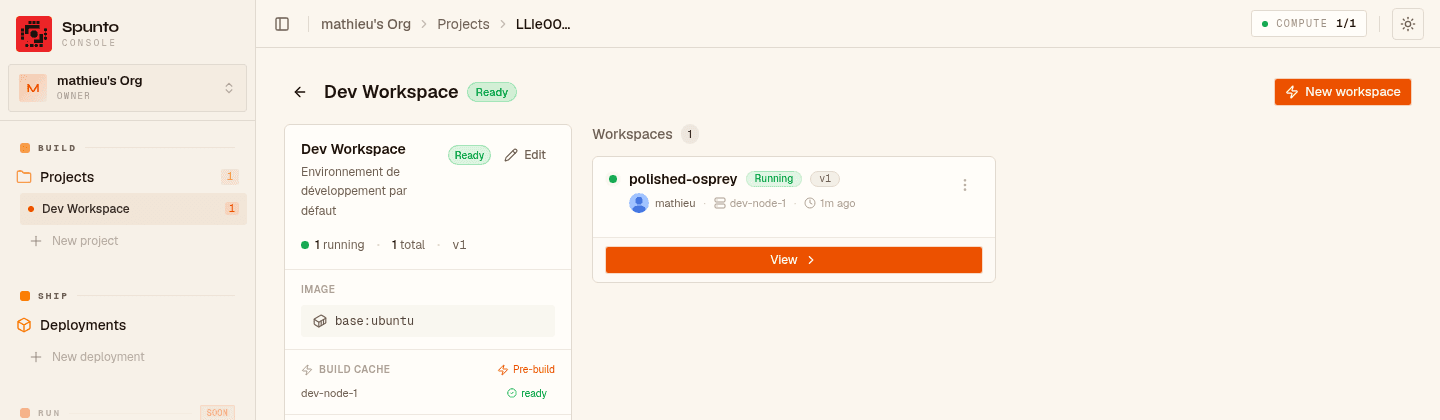
Click New worker on the project page. Spunto will:
- Pre-build a Docker image on the node (caches extensions and features — only done once per project version)
- Spawn the container
- Run setup scripts (clone repos, configure git credentials, run
postCreateCommand) - Start code-server
Once ready, click Open in browser to access the full VS Code environment.
- Explore Build to understand workers and projects in depth
- Ship to production with the Deployments module
- Connect more nodes to scale out your compute
- Generate an API key to automate from a script, CI, or an AI agent